How to Check Your Google Ranking (Free, Accurate Methods)
Five free ways to find your real Google position for any keyword, why searching Google yourself gives the wrong answer, and how to fix the problems that trip people up.

Try the free keyword rank checker
Free, no sign-up. Then let Rankfly research, write and publish the articles that rank.
Use the free toolKey takeaways
- The fastest accurate way to check your Google ranking is a free rank checker, because it removes personalization from the result.
- Google Search Console is free and shows your average position for every query your site appears for, but it is an average, not a single fixed number.
- Searching Google yourself is skewed by your location, search history, device and ads, so treat it as a rough check only.
- Track a short list of 10 to 20 keywords on the same schedule, with the same device and location, so changes in the numbers mean something.
- A rank in Google does not tell you whether AI assistants like ChatGPT recommend you, so check that separately.
Table of contents
To check your Google ranking, enter a keyword and your domain into a free rank checker, or open the Performance report in Google Search Console and read the average position for that query. Searching Google yourself works for a quick look, but your own results are skewed by your location, history and device.
A Google ranking is the position your page holds in Google's search results for a specific search term. Position 1 is the top organic result, and each page of results holds roughly 10 organic listings. This guide shows five methods, tells you which to use when, and covers what to do when the numbers look wrong.
Why you shouldn't just Google your own keyword
Google personalizes results. Searches you make often, pages you visit and your location all change what you see, so your result will not match what a customer in another city sees. Google explains how this works in its personalized search help page.
Three things get in the way when you check by hand:
- Personalization: your search history nudges results toward sites you already use.
- Location: Google uses your IP address or GPS to show local results, which can push regular organic listings down the page.
- Ads and extras: ads, images, videos and maps appear above organic results, so counting listings by eye is slow and unreliable.
This matters most for local businesses. A plumber who ranks 3rd from their own office may rank 9th across town.
Which method should you use?
There are two broad options: manual search and automated tools. Manual checks cost nothing but take time and give skewed results. Tools save time and strip out most personalization.
| Method | Cost | Accuracy | Best for |
|---|---|---|---|
| Free online rank checker | Free | High for a single snapshot | Checking one keyword quickly |
| Google Search Console | Free | High, but an average over a date range | Seeing every query you rank for |
| Private browser window | Free | Low to medium | A rough sanity check |
| Search URL with pws=0 | Free | Medium, ads still show | Quick manual checks |
| Paid rank tracking | Paid plans | High, updated automatically | Tracking many keywords over time |
For a quick walkthrough of several of these methods on screen, this video covers three easy ways.
Step 1: Pick the keywords worth checking
Don't check everything. Start with 10 to 20 keywords that matter to your business.
- Your main service or product terms, such as "emergency plumber austin".
- Terms for your newest blog posts or product pages.
- A few long-tail phrases you are trying to win, which are easier to rank for than short head terms.
If you don't have a list yet, the Long Tail Keyword Generator gives you phrases to start with. Then run them through the Keyword Difficulty Checker so you know which ones are realistic for a site your size.
Step 2: Use a free rank checker
This is the quickest accurate method. A rank checker runs the search for you and finds your domain in the results, without your personal history shaping what it sees.
Most free checkers work the same way:
- Enter your keyword.
- Enter your domain.
- Choose a country, and a device (desktop or mobile) if the tool offers it.
- Click the check button and read your position.
Some tools go further. Seobility's free ranking checker shows the top 20 results with snippet previews and lets you pick a city. SEO.AI's Google website rank checker looks through the top 100 and reports that your domain was not found if it isn't there.
After you see your position, look at who sits above you. The SERP Checker shows the full results page for a keyword, so you can see what the top pages look like and what kind of content wins.
Step 3: Check Google Search Console
Google Search Console is a free Google tool that shows how your site performs in Google Search. It is the only source that reports Google's own data about your site. You can read more about it in Google Search Central.
Here is how to find your position for a keyword:
- Open Search Console and select your property.
- Go to Performance and then Search results.
- Set the date range, for example the last 28 days.
- Click Add filter, choose Query, and enter your keyword. Pick Queries containing to catch variations, or Exact query for one phrase.
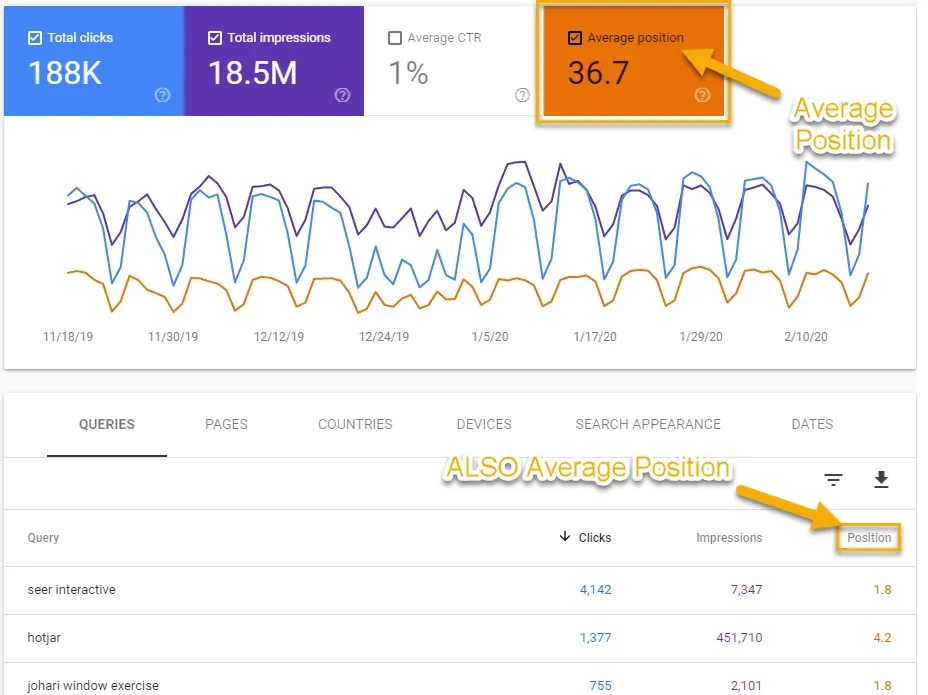
- Make sure Average position is switched on above the chart, then read the number in the table.
How to read average position
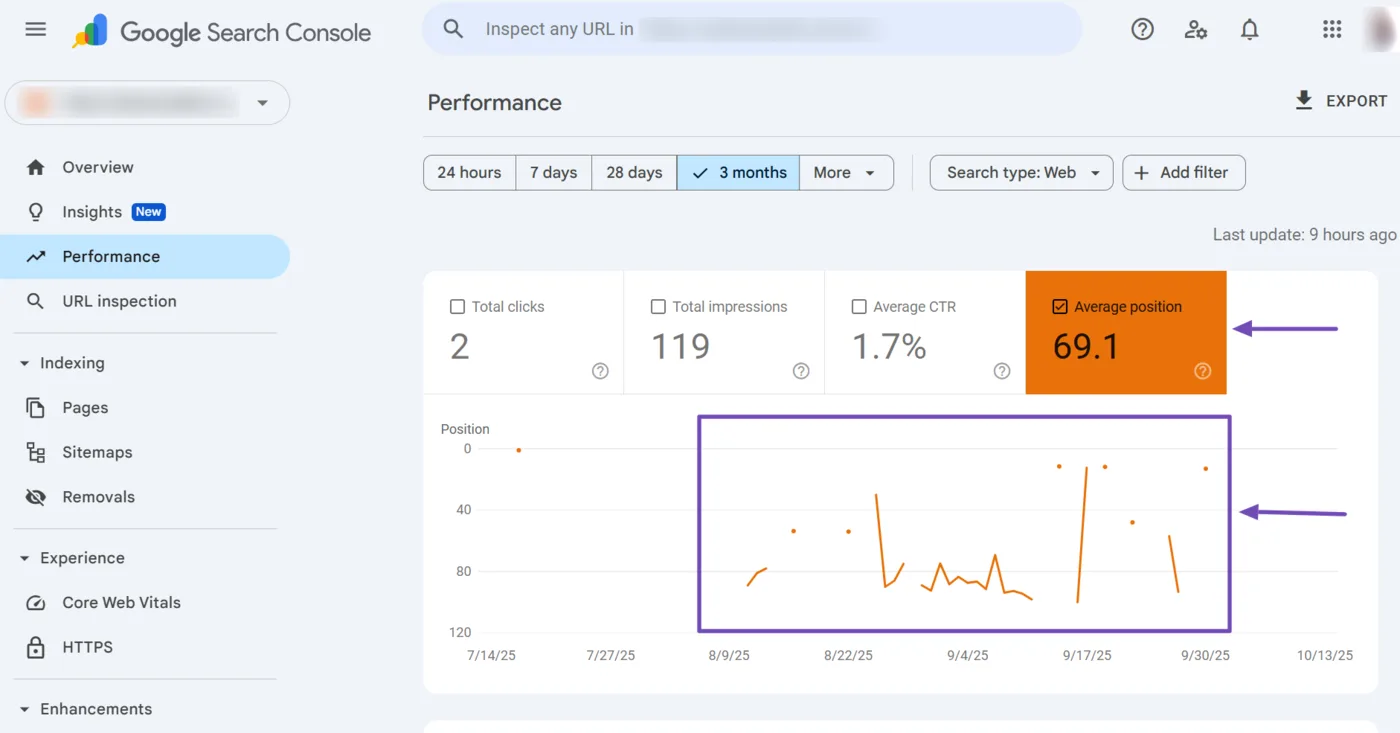
Average position is the average across every time your page appeared for that query. A value of 8.3 doesn't mean you sit at 8. You might appear at position 3 for some searchers and 14 for others.
Use the filters to get closer to the truth:
- Filter by Page to see one URL at a time.
- Filter by Country to match where your customers live.
- Filter by Device to compare mobile and desktop.
Search Console also shows queries you never thought to check. Sort by impressions and look for terms with a position between 8 and 20. Those are often the easiest wins.
Step 4: Check by hand (the right way)
Sometimes you just want to look at the page. If you do, reduce personalization first. These steps help, though none removes it fully.
Use a private window
Open an incognito or private window and run your search. This skips most cookies, so results should change noticeably if your normal results were personalized.
Turn off personal web search
Add the parameter &pws=0 to the end of the search results URL. For example:
https://www.google.com/search?q=emergency+plumber+austin&pws=0
Try a private search engine
A search engine like Startpage uses Google results but searches without cookies, which gives a more neutral view.
Step 5: Compare mobile, desktop and location
Your rank can differ by device and place. Most customers search on a phone, and local searches change by neighborhood.
- Check mobile first if most of your visitors use phones. Search Console's Device filter shows you which is bigger.
- For local services, check rankings from the cities you serve, not just the city where your office is.
- Always note which device and location you used, so you compare like with like next week.
If you serve several areas, our local SEO guide for small businesses explains how to rank in each one.
Step 6: Record your rankings
A single number tells you little. A trend tells you what's working. Keep a simple spreadsheet and update it on a fixed schedule, such as every week.
| Date | Keyword | Page URL | Position | Device | Location | Notes |
|---|---|---|---|---|---|---|
| 2026-11-10 | emergency plumber austin | /emergency-plumber | 12 | Mobile | Austin, US | New page, 2 weeks old |
| 2026-11-17 | emergency plumber austin | /emergency-plumber | 9 | Mobile | Austin, US | Added FAQ section |
Checking daily is rarely useful. Rankings move around naturally, and weekly checks show the real direction without the noise.
Troubleshooting: when the results look wrong
My site says not found in the top 100
That usually means one of three things. The page is too new and not indexed yet, the keyword is too competitive for your site right now, or the page doesn't match what searchers want. Check whether Google has indexed the page by searching site:yourdomain.com/your-page, and use the Noindex Checker to make sure the page isn't blocking itself.
Two tools show different positions
This is normal. Tools check from different locations, at different times and with different device settings. Pick one tool and one set of settings and stick with it, so you compare your own results against themselves.
My position jumps up and down
Small daily swings are normal. Google tests results, and personalization and location vary. Look at the weekly trend, not the single day.
Search Console and my rank checker disagree
Search Console reports an average across all real searches. A rank checker gives a snapshot from one place and device. Neither is wrong, they measure different things.
Two of my pages compete for one keyword
If different URLs from your site swap places for the same query, they may be competing with each other. Run the Keyword Cannibalization Checker to see whether you should merge or differentiate them.
What counts as a good Google ranking?
Position 1 to 3 gets the most attention, and the first page (positions 1 to 10) is where most clicks happen. Positions 11 to 20 are close enough that a stronger page or a few good links can move you up. Beyond that, rankings rarely bring traffic.
Rankings are a means, not the goal. Pair them with traffic data, and the Website Traffic Checker gives you a quick view of how much visitors a site gets.
Google rank is not the whole picture anymore
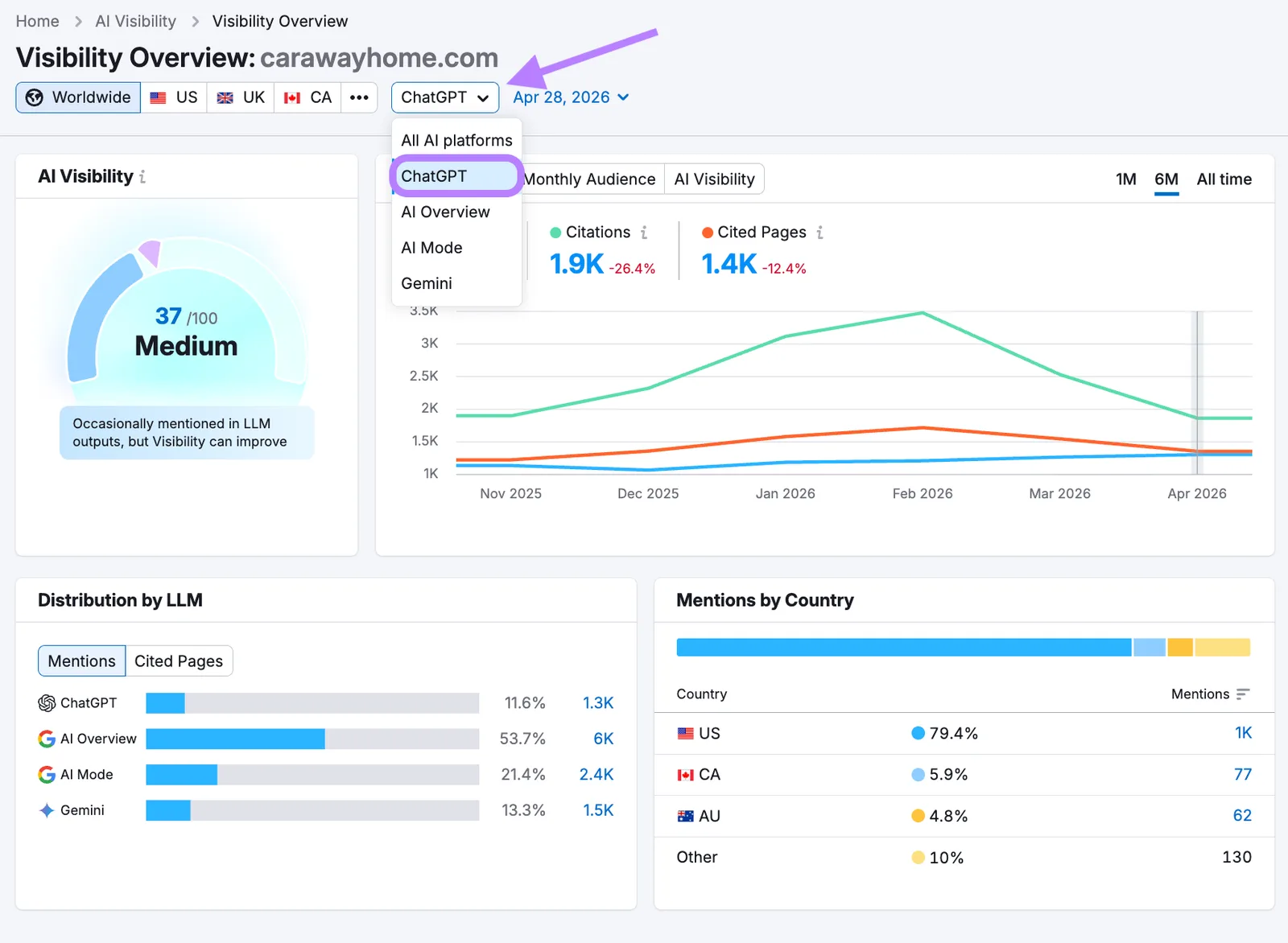
More buyers now ask ChatGPT, Gemini, Claude or Perplexity for recommendations. Your Google position doesn't tell you whether those assistants mention your business. Our guide on GEO vs SEO explains how the two differ, and the free AI Visibility Checker is a quick way to see where you stand.
Where Rankfly fits
Checking rankings tells you where you are. Moving up means publishing more useful pages, and that is the part most small teams run out of time for. Rankfly finds keywords your site can realistically rank for, plans a 30-day content calendar, then writes and publishes one SEO article a day in your brand's voice. It also asks ChatGPT, Claude, Gemini and Perplexity the questions your buyers ask and shows whether you get recommended.
Rankfly costs $66/month for 30 articles, with a 3-day free trial and cancel anytime. It isn't a full SEO suite like Semrush or Ahrefs. It is built for small teams that want the work done for them. See how autoblogging works.
Final thoughts
The most accurate way to check your Google ranking is a free rank checker for snapshots and Search Console for the full picture. Keep your settings the same, record results weekly, and judge the trend. Start with your top 10 keywords today.
Frequently asked questions
How do I check my SEO ranking?
Use a free keyword rank checker to see your position for a specific keyword, and Google Search Console to see the average position for all the queries your site appears for. Check the same keywords on a regular schedule and record the results. An SEO score from an audit tool is a different thing and doesn't show where you rank.
How can I check my website's ranking on Google for free?
Enter your keyword and domain into a free rank checker, or open the Performance report in Google Search Console, which is also free. You can also search Google by hand in a private window, though the results will be less accurate because of personalization and location.
Is an SEO score of 92 good?
A score of 92 from an audit tool usually means the tool found few on-page problems. It is a good sign, but it is not a Google ranking and doesn't guarantee a position. Check your actual keyword positions to see how you perform.
Why is my Google ranking different on my phone and my computer?
Google can show different results by device, location and search history. Mobile results often differ from desktop ones, and local searches change by neighborhood. Compare rankings using the same device and location each time.
How often should I check my Google ranking?
Weekly is enough for most small businesses. Rankings move around daily for normal reasons, so daily checks mostly show noise. Weekly checks make the real trend easier to see.
How do I get up the rankings on Google?
Publish pages that fully answer what searchers want, target keywords your site can realistically win, make sure your pages can be indexed, and earn links from other sites. Improve pages that sit at positions 8 to 20 first, since they are closest to the first page.
About the editorial team
Emma writes Rankfly's guides on SEO, AI search and getting small businesses found on Google and ChatGPT.