SEO Automation: What to Automate in 2026 (and What Not To)
A plain guide to SEO automation: which tasks to hand to software, which to supervise, which to keep for yourself, and a simple plan you can start this week.

Publish an SEO article every day, on autopilot
Rankfly researches, writes and publishes to WordPress, Shopify, Webflow, Wix and more. $66/month.
See how it worksKey takeaways
- SEO automation means software runs the repeatable work (crawls, tracking, reports, drafts, publishing) on a schedule while you keep the decisions.
- Automate data collection and monitoring first, because it is the safest layer and catches other people's mistakes.
- Treat drafting and publishing as assisted work: automate the first pass, keep an approval step.
- Never let a tool change redirects, canonicals, robots rules or noindex tags without a human check.
- If your real problem is that nothing gets published, an execution tool that researches, writes and publishes will help more than another reporting dashboard.
Table of contents
SEO automation means letting software run the repeatable parts of SEO, like site crawls, rank tracking, reports, first drafts and publishing, so you spend your time on decisions. Automate the collecting, checking and shipping of reviewed work. Keep strategy, search intent and anything that can break your site under human control.
This guide gives you a task-by-task table (automate, assist or keep human), the tools that fit each job, the mistakes that cost people rankings, and a plan you can follow this week.
What is SEO automation?
SEO automation is the use of software to run repeatable SEO tasks, such as crawling a site, tracking rankings, building reports, drafting content and publishing it, on a schedule without manual effort each time.
It is not the same thing as AI. One useful way to separate them: AI is an on-demand assistant (you ask it for blog ideas or research), while automation is a process you set up once that then runs on a recurring schedule. AI can power a step inside an automation, but the automation still needs a workflow someone designed.
That difference matters because it tells you where to start. If you cannot describe the manual process, it is too early to automate it. Automation encodes a process you already trust. It does not fix one you never finished designing.
The four levels of SEO automation
It helps to think in levels, from safest to riskiest.
- Data collection. Crawls, rank tracking, Google Search Console pulls, backlink exports, uptime checks. Nobody should be exporting the same CSV by hand every Monday.
- Analysis and triage. Tools group issues, flag drops, cluster keywords and spot under-linked pages. The tool says what looks off. You decide whether it matters.
- Draft generation. Briefs, title and meta description variants, schema drafts, anchor suggestions, article drafts. This compresses the first pass, but it still needs review.
- Auto-deployment. Publishing, template edits, redirects, internal links on live pages. This is where automation gets sharp, and where you want approval gates and a way to undo changes.
Most of the value sits in levels 1 and 2. Most of the damage sits in level 4 when there is no review step.
What can you automate in SEO? The full table
Here is the split we recommend. Automate means set it up and let it run. Assist means software does the first pass and you review. Keep human means you decide, even if a tool gives you input.
| SEO task | Verdict | What the software does | What stays with you |
|---|---|---|---|
| Site crawls and technical audits | Automate | Scheduled crawls, grouped issues, change detection | Deciding which issues are severe |
| Rank tracking | Automate | Daily or weekly position checks, alerts | Reading the cause of a drop |
| Reporting | Automate | Dashboards and scheduled reports | The story and the next step |
| Broken link and status code monitoring | Automate | Finds 404s and redirect chains | Choosing the right redirect target |
| Alerts on robots.txt, noindex and canonical changes | Automate | Flags the change fast | Whether to revert or wait |
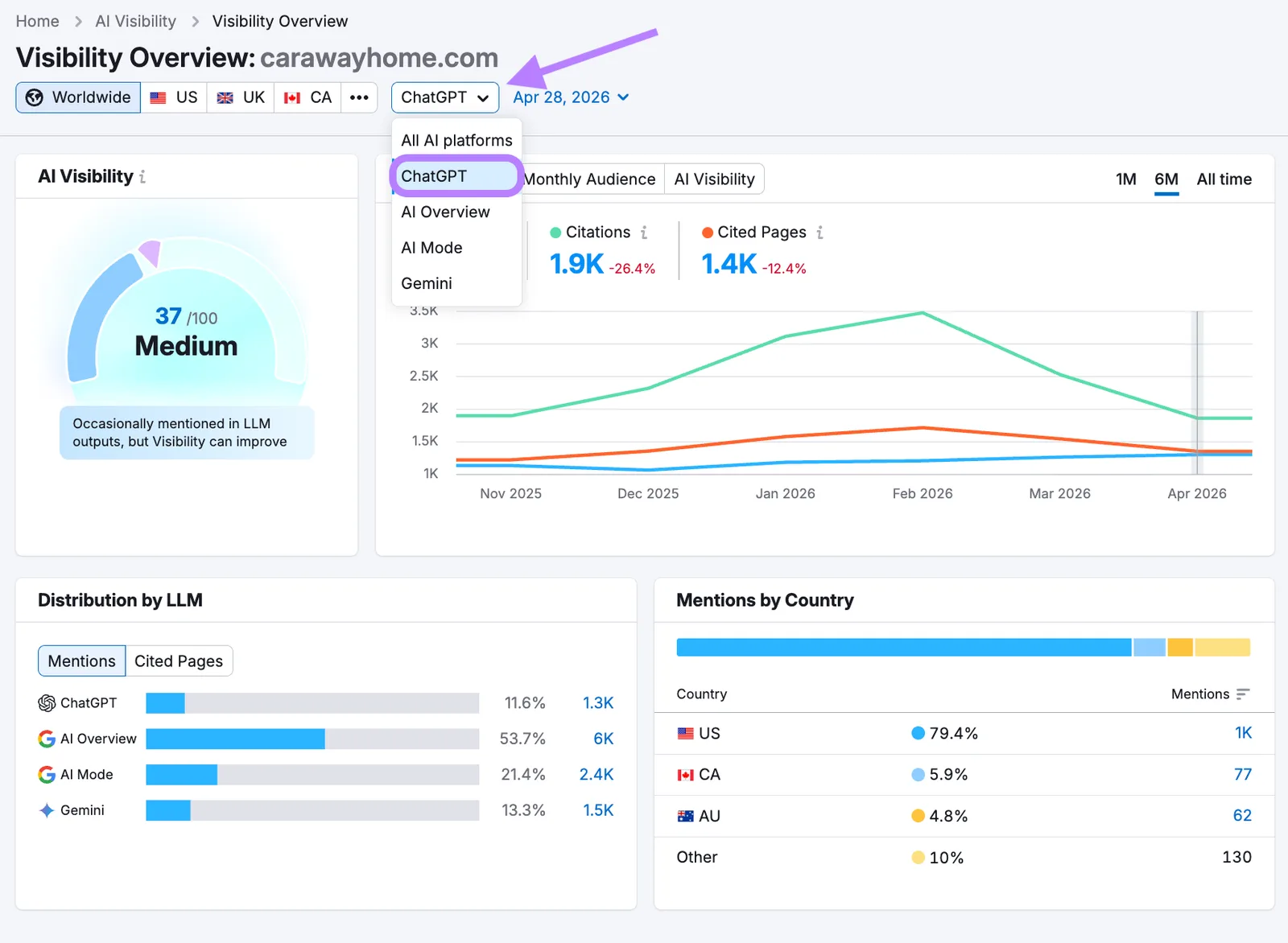
| AI visibility tracking | Automate | Asks AI assistants your buyer questions, logs who is recommended | Deciding what to publish in response |
| Keyword discovery and clustering | Assist | Pulls candidates, groups them, scores difficulty | Picking the keywords that fit your business |
| Content briefs | Assist | Summarizes the top results and common questions | Angle and what to add that others miss |
| Article drafts | Assist | Writes a first version in your voice | Facts, examples, final edit |
| Meta titles and descriptions at scale | Assist | Fills templates or generates variants | Spot-checking, especially on money pages |
| Internal links | Assist | Finds under-linked pages, suggests anchors | Which pages deserve priority |
| Image alt text and schema drafts | Assist | Generates drafts | Accuracy review |
| Publishing to your CMS | Assist | Pushes approved posts on a schedule | Approval, especially at the start |
| Redirects, canonicals, hreflang, noindex rules | Keep human | Proposes changes | Every change, with a crawl check afterward |
| Search intent judgment | Keep human | Shows what ranks | Deciding what the searcher actually wants |
| Strategy and positioning | Keep human | Supplies data | The decisions |
| Link outreach and relationships | Keep human | Finds prospects, sends reminders | Whether a placement makes sense |
| Brand voice, real experience, proof | Keep human | Imitates voice after a few corrections | The experience only you have |
A simple rule sits behind the table. If a mistake is cheap and easy to undo, automate it. If a mistake can deindex pages or damage your brand, put a person in the loop.
Which tasks are safe to automate first?
Start with monitoring. It is the defensive layer that catches everyone else's mistakes, like the plugin update that flipped your canonical tags or the developer who edited robots.txt on a Friday.
Crawls and technical checks
Schedule a crawl weekly. Tools like Screaming Frog and Sitebulb crawl your site and pull out status codes, redirects, sitemap issues and more. If you want a quick manual check before setting anything up, our free broken link checker finds dead links on a page in seconds.
Rank tracking and reports
Pick one place where rankings and clicks live (Google Search Console plus a dashboard is enough for most small sites) and schedule the report to arrive in your inbox. Review it, don't just receive it. Automated reports can contain errors, so look at them before you act.
Alerts
Set alerts for the changes that hurt most: robots.txt edits, new noindex tags, title changes on key pages, sudden indexing drops. An alert that tells you within a day is worth far more than a monthly audit that tells you in four weeks.
Internal linking: the best first execution task
Internal linking is the clearest automation win once monitoring is in place. The work is repetitive, easy to review and easy to measure.
The same study found that gains can level off or reverse at very high link counts, and that varied anchor text matters more than raw volume. So the goal is not to link every matching keyword. It is to find important, under-linked pages, suggest relevant source pages, vary anchors and review the result.
To see where you stand, run a page through our free internal link checker. Then decide which pages deserve the links, because that call is yours.
What you shouldn't automate (or shouldn't without approval)
Some tasks look tempting to hand over completely. Here is where that goes wrong.
| Automation | The risk | Safer version |
|---|---|---|
| Auto-publishing content with no review | Thin pages, wrong intent, off-brand copy | Drafts with an approval step until you trust the output |
| Rewriting thousands of titles at once | Click gains can hide ranking drops | Test a template on one group of pages first |
| Linking every keyword match | Repeated anchors, cluttered pages | Suggested links with caps and review |
| Auto-created redirects | Lost link equity, broken journeys | A redirect map checked with a crawl |
| Auto noindex or canonical rules | Pages disappear from Google | Alerts plus manual approval |
There is a good reason for the caution. SearchPilot's Will Critchlow has said that around 80 percent of website changes meant to improve organic performance either have no impact or reduce traffic, as reported by SearchPilot.
Google's John Mueller made a related point about AI agents: telling one to add some SEO is as vague as telling a developer the same thing, as covered by Search Engine Journal. If an agent picks your canonicals, links or titles, it made strategy decisions whether you noticed or not.
Strategy, intent and links stay with you
A tool can tell you a keyword has search volume. It cannot tell you whether searchers want a tutorial, a product page or a comparison. Get that wrong and the whole article misses.
Link building follows the same logic. Software can find prospects and send follow-ups, but it cannot make an editor want to link to a thin page. And real experience, the details only you know from running your business, is what makes content worth citing.
What about content? Automate or assist?
Content is the gray area. Fully manual content is slow, and many small teams simply stop publishing. Fully unreviewed AI content tends to restate what page one already says, which rarely ranks.
The workable middle is a hybrid: let software handle research, the first draft, formatting, internal links and publishing, and keep a person responsible for the angle, the facts and the final read. Before publishing anything automated, ask three questions:
- Does this match what I would write if I did it myself?
- Does it say something the current top results do not?
- Would I put my name on it?
If the answer is no, adjust the inputs or switch to review mode. Our guide to content SEO writing covers what a strong article needs.
SEO automation software: monitoring tools vs execution tools
The phrase covers two different kinds of product, and buying the wrong kind is the most common mistake. Monitoring tools watch your site and tell you what to fix, which leaves the work with you. Execution tools do the work: they research, write and publish.
| Job | Example tools | Type | Honest limit |
|---|---|---|---|
| Full SEO suite (tracking, audits, research) | Semrush, Ahrefs | Monitoring and research | Tells you what to do, does not do it. Check current pricing. |
| Technical crawling | Screaming Frog, Sitebulb | Monitoring | Expert interfaces, no content output |
| Reporting | Google Looker Studio, Search Console | Monitoring | You still interpret the data |
| Content scoring and briefs | Surfer, Frase | Assist | Usually stops at the draft |
| On-page auto-apply | Alli AI, OTTO | Execution (on-page) | Use approve-before-publish, keep a change log |
| Workflow glue | Zapier, Make, n8n | Plumbing | You design the workflow |
| Content research, writing and publishing | Rankfly | Execution (content) | Not a full SEO suite or deep technical crawler |
Choose by your bottleneck. If you already have audits and keyword lists but nothing gets published, another dashboard will not help. If your site has technical problems, a crawler comes before more content. For a broader comparison, see our list of the best AI SEO tools for small businesses.
Common SEO automation mistakes
- Set it and forget it. Look at what goes in and what comes out. If the output is not up to standard, adjust or go back to a manual step.
- Automating a process you have not defined. Write the manual steps down first.
- Automating the scary parts first. Start with data collection and alerts, not redirects.
- No way to undo. Prefer tools with a change log and one-click revert.
- Buying monitoring when you needed execution (or the reverse).
- Too many tools. A solo owner does not need six automation platforms.
How to set up SEO automation, step by step
- List your recurring SEO tasks. Write down everything you do weekly or monthly: reports, checks, keyword research, writing, publishing.
- Sort each task using the table above: automate, assist or keep human.
- Automate monitoring first. Connect Google Search Console, schedule a weekly crawl, set two or three alerts.
- Automate research. Use a keyword tool to find terms you can realistically win. Our free keyword clustering tool groups a list into topics so each article targets one.
- Turn on assisted drafting with a review step. Read the first ten outputs closely and fix the voice before relaxing.
- Add internal links and publishing. Schedule posts and cap how many links a tool can add per page.
- Track results. Watch clicks and impressions in Search Console, and check whether AI assistants mention you. See AI visibility tracking for how that works.
- Review monthly. Cut anything you ignore, and tighten anything that made a mistake.
A plan you can follow this week
| Day | Task | Time |
|---|---|---|
| Monday | List recurring tasks and mark each automate, assist or human | 30 minutes |
| Tuesday | Connect Search Console and schedule a weekly crawl | 30 to 60 minutes |
| Wednesday | Set up two alerts: robots.txt or noindex changes, and indexing drops | 30 minutes |
| Thursday | Pick 10 keywords you can win and group them by topic | 45 minutes |
| Friday | Choose how drafts get written and published, and keep approval on | 45 minutes |
| Weekend | Read your first automated draft against the three questions above | 20 minutes |
If you want a ready-made checklist to work from, use our free SEO checklist.
What Rankfly automates end to end
Most of this guide is about supervising other tools. Rankfly is built for the case where your real problem is that nothing gets published. It is an SEO autopilot for small businesses, founders and marketers who want traffic from Google and AI assistants without doing SEO themselves, which is a good fit for small business SEO.
Here is how it maps to the table:
- Keyword research. It finds keywords your site can realistically rank for, scored against your site's authority, and plans a 30-day content calendar.
- Writing. It researches the current top 10 results and the questions people ask, then writes one SEO article a day in your brand voice, with internal links, sources, an FAQ and a featured image, in 14 languages.
- Publishing. It publishes to WordPress, Shopify, Webflow, Wix, Framer, Ghost, Notion, or anything else through a webhook or REST API. Review mode lets you approve each article first, which is the guardrail we recommended above.
- AI visibility. It asks ChatGPT, Claude, Gemini and Perplexity the questions buyers ask, shows where competitors are recommended instead of you, and turns those gaps into articles.
The limits are worth knowing. Rankfly is not a full SEO suite like Semrush or Ahrefs, and it is not a deep technical crawler. You still own strategy and the final say on what goes live. Pricing is $66 a month for 30 articles plus the features above, with a 3-day free trial and cancel anytime. See pricing for details.
Final thoughts
Automate the collecting, checking and shipping. Keep the strategy, the intent calls and anything that can break your site. If your gap is published pages rather than reports, start with an execution tool and keep review mode on until you trust the output.
Frequently asked questions
What is automation in SEO?
Automation in SEO means using software to run repeatable tasks like crawling your site, tracking rankings, building reports, drafting content and publishing it on a schedule. You set up the process once and it runs without repeated input. People still make the strategic decisions.
How much does auto SEO cost?
It depends on the type of tool. Monitoring suites and crawlers are usually subscriptions with prices that change, so check each vendor's current pricing. Rankfly costs $66 a month for 30 articles, with a 3-day free trial. You can estimate your own budget with our free SEO cost calculator.
Can ChatGPT help with SEO?
Yes, as an on-demand assistant. It can suggest topics, draft briefs, write title and meta variants and help with research. It is not an automation by itself, because you have to prompt it each time, and you still need to check facts and fit with search intent.
How do I learn SEO as a beginner?
Start with the basics: how keywords, content, internal links and technical health work together. Then practice on a real site using Google Search Console and free tools. Learn the manual process before you automate it, because automation only works well on a process you understand.
Can SEO be fully automated?
Research, drafting, publishing, internal linking and monitoring can be automated to a large degree. Strategy, search intent judgment, link relationships and changes like redirects or canonicals should keep a human check. Any tool that promises to run SEO with no oversight is overselling.
Is SEO automation safe for Google rankings?
Automating your own workflow, such as audits, reports and scheduled publishing, carries little risk. The risk comes from unreviewed changes at scale, like mass title rewrites, auto redirects or low-quality auto-published content. Use approval steps and keep a way to undo changes.
About the editorial team
Emma writes Rankfly's guides on SEO, AI search and getting small businesses found on Google and ChatGPT.